Users - retrieving an operatives induction code
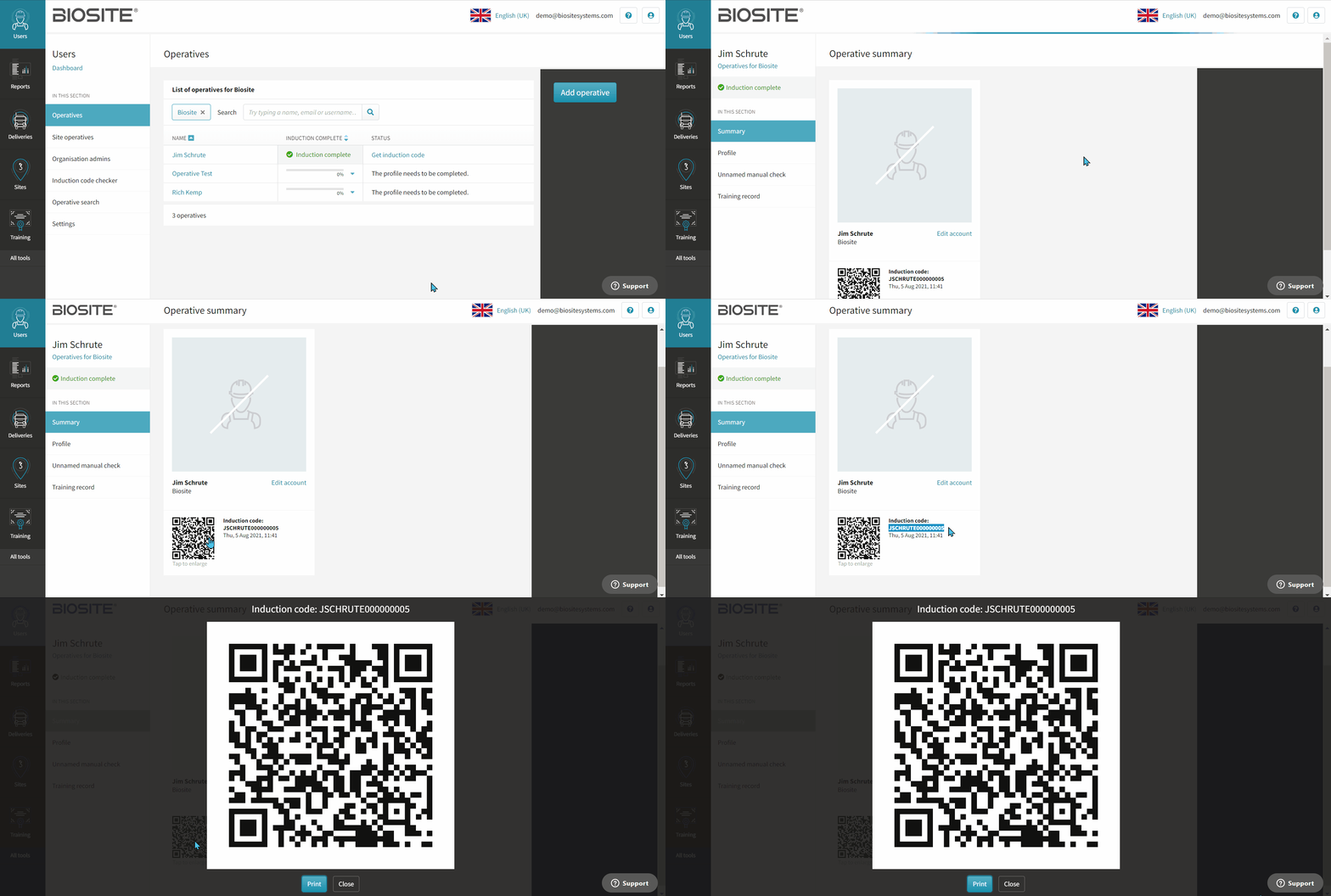
Once an operative has completed their induction you can retrieve their induction code from the Portal
To do so:
- In the portal, click Users
- Select the Organisation the operative belongs to
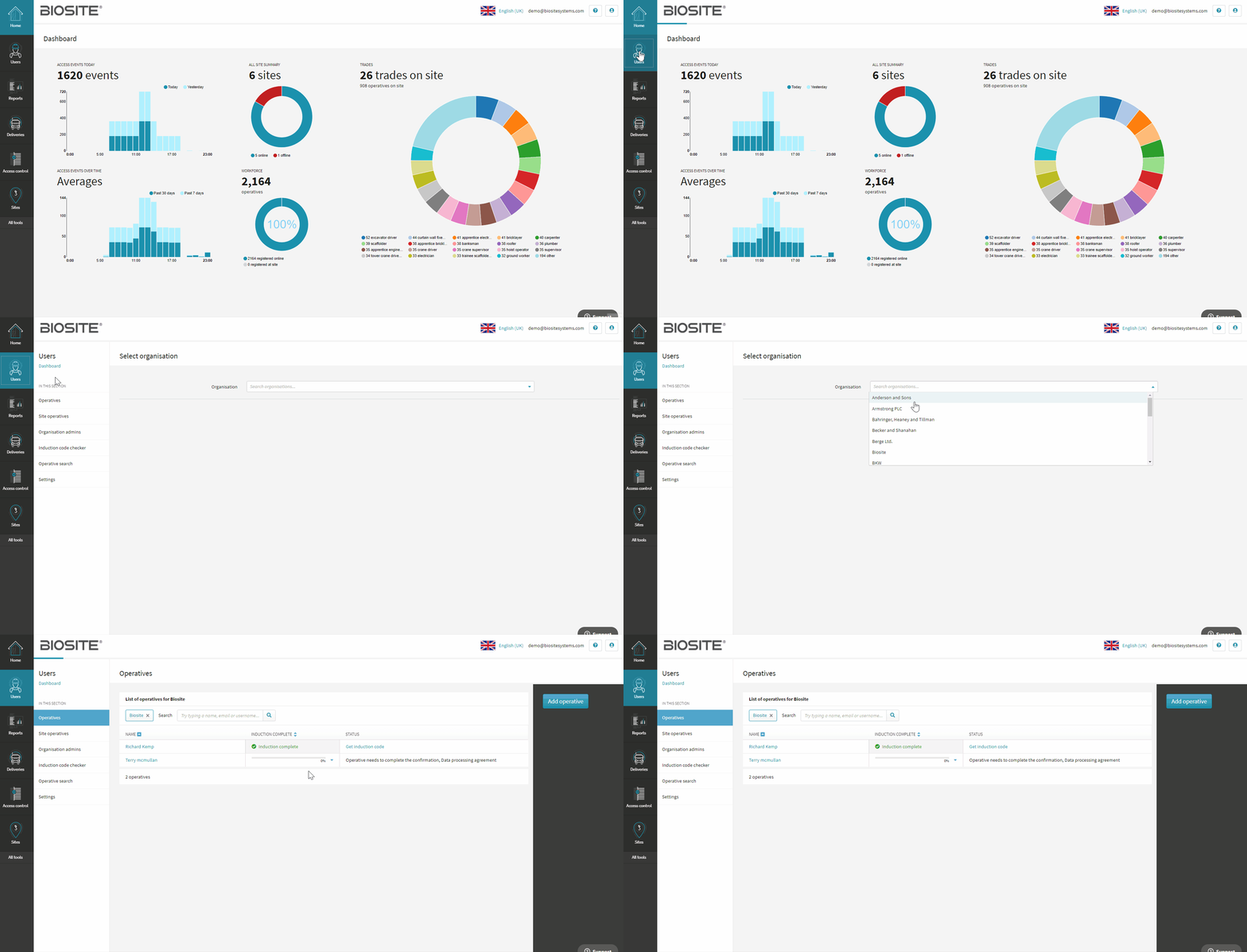
- Find the operative in the list.
- Click Get Induction Code.
- The induction code will display with a QR code format.
- Click on the QR code to enlarge and print if needed.
The operative's photo will also display (if they have one)