Users - deleting an operative account
To permanently delete an operative account go to Users from the dashboard and select Operatives and click the name of the operative account
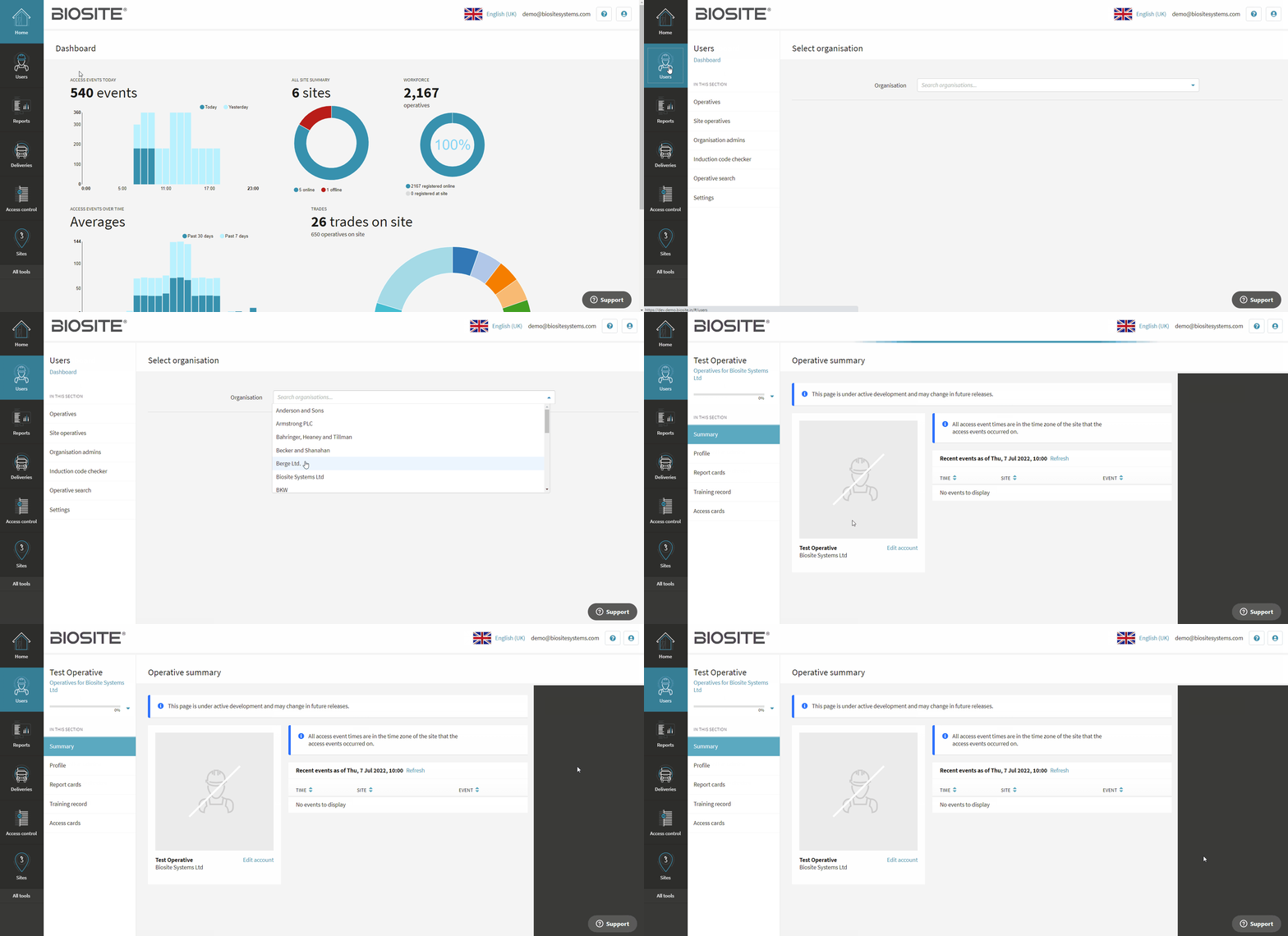
Click on Edit account and then click Delete account. Confirm that you understand that this action can not be undone by clicking the checkbox. Click Confirm delete
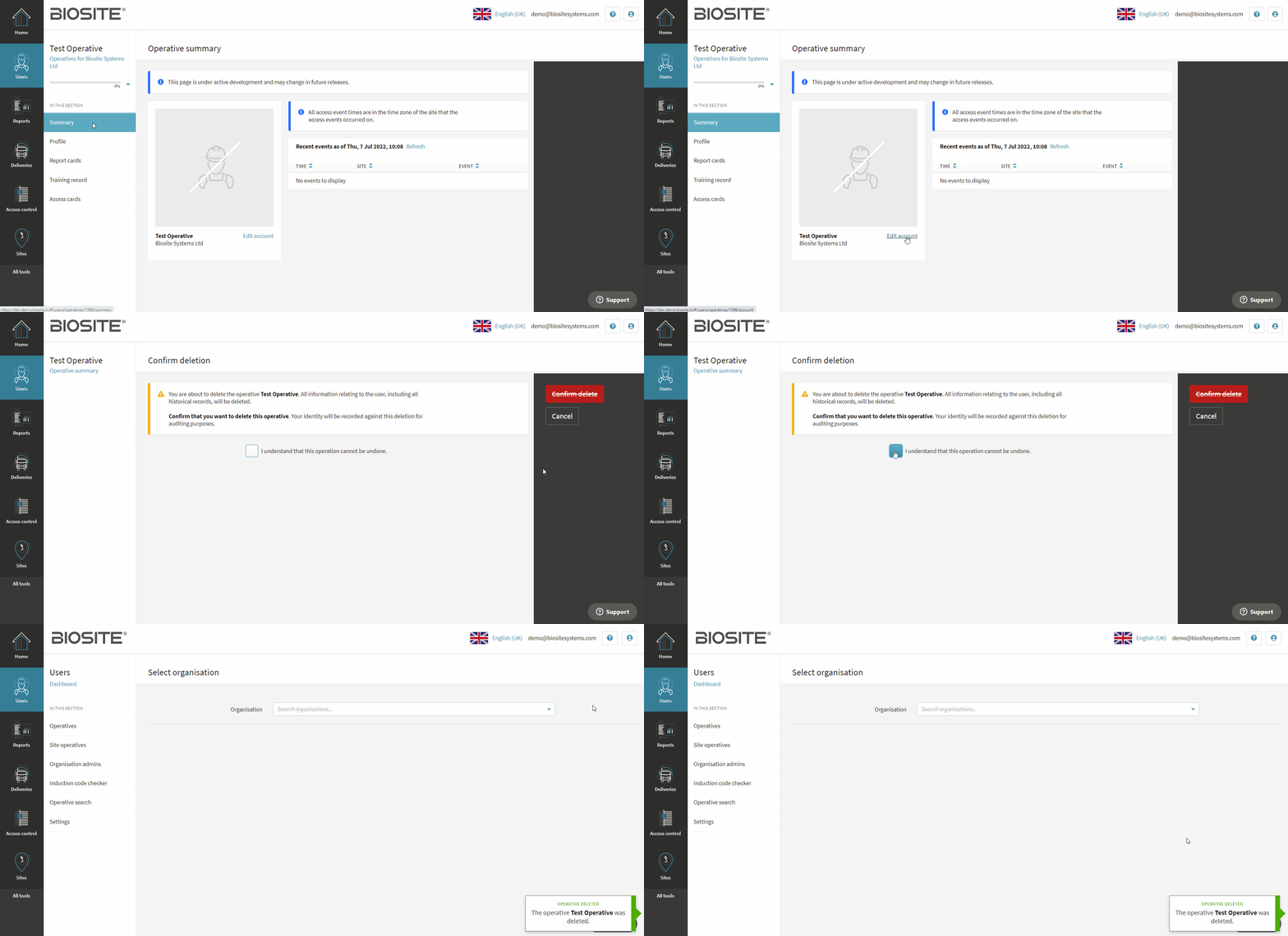
The operative account has now been permanently deleted and can not be restored